IPS vs VA vs OLED for Gaming Monitors: What to Buy
For gaming monitors in 2026, the blunt answer is this: OLED is the best panel technology overall. If OLED is out of budget, a good VA panel is usually the better gaming buy than a standard IPS panel unless the monitor will spend more time doing office work, creator work, or bright-room duty than actual gaming. IPS still wins on viewing angles, text comfort, and desktop safety, but standard IPS has ridden its reputation much harder than its contrast performance deserves.
First, clear up the AMVA vs AHVA confusion
This matters because the naming is genuinely misleading.
| Term | What it actually is | Why it matters |
|---|---|---|
| VA | Vertical Alignment LCD | The high-contrast LCD family most gamers associate with deeper blacks. |
| AMVA | AUO’s Advanced MVA | A real VA-family variant, so it belongs in the “better blacks, higher contrast” camp. |
| AHVA | AUO’s Advanced Hyper-Viewing Angle | Despite the name, this is IPS-type, not VA. It behaves much more like IPS than AMVA. |
That last row is the one people get wrong all the time. AMVA is VA. AHVA is IPS-type. So if the argument is that “AMVA or AHVA beats IPS,” only the AMVA half of that statement belongs in the VA discussion. AHVA is effectively AUO’s answer to IPS, not a darker, higher-contrast alternative to it.
IPS vs VA vs OLED: the short version
Based on current lab testing and official product specs, the panel tradeoffs look like this:
| Panel Type | Native Contrast / Blacks | Motion Handling | Viewing Angles | HDR Potential | Text / Desktop Use | Main Weakness | Best Fit |
|---|---|---|---|---|---|---|---|
| IPS | Usually weak; blacks often look gray | Usually cleaner than VA, less dark smearing | Best of the three LCD families | Mediocre unless it uses Mini LED or IPS Black | Best general desktop choice | Low contrast, IPS glow | Bright rooms, mixed work + gaming, esports |
| VA / AMVA | Clearly stronger than IPS; much deeper blacks | Can be fast, but dark transitions still smear more often | Worse than IPS off-axis | Better than standard IPS, especially in dark scenes | Fine for mixed use, but less ideal for off-angle work | Black smearing and more VRR flicker risk | Dark-room gaming, value-first gaming, curved and ultrawide setups |
| OLED | Effectively perfect contrast | The best by a wide margin | Excellent | Best overall | Much better now, but still not as carefree as LED for static desktop use | Burn-in risk and higher cost than LCD | Premium gaming, HDR, high-end mixed gaming + creator use |
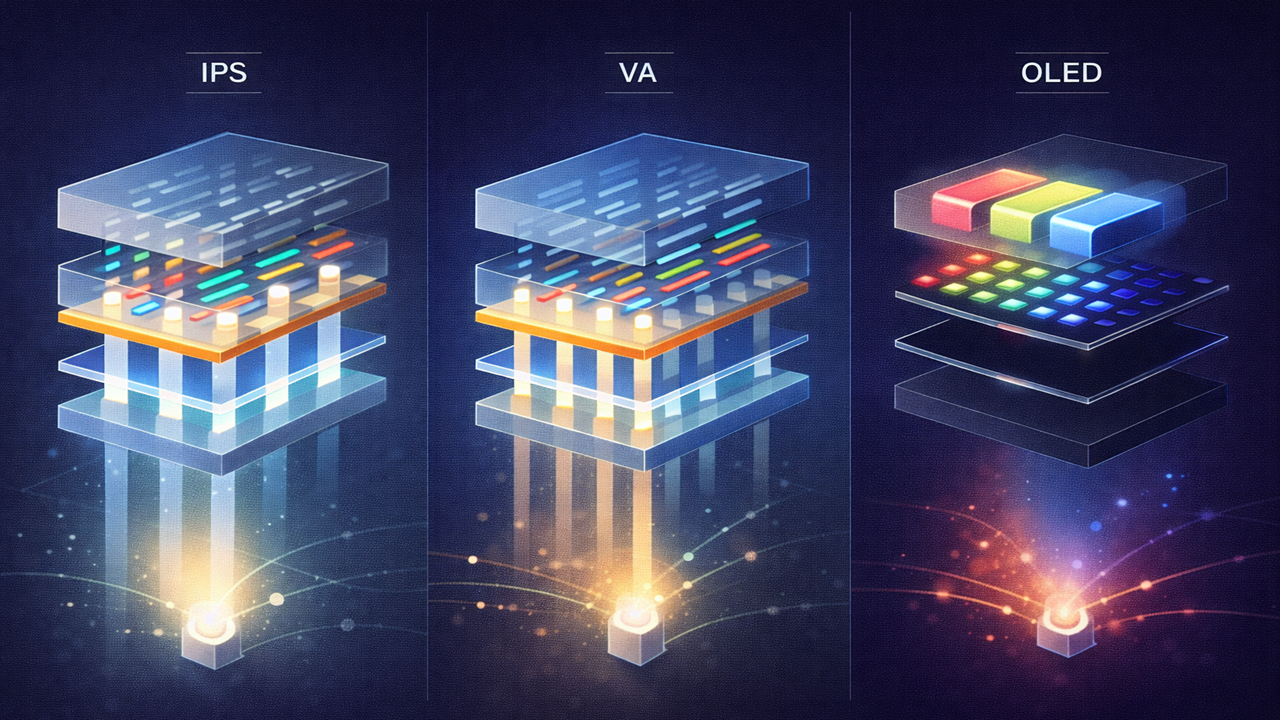
The big structural difference is simple. VA is still an LCD, so it cannot touch OLED’s pixel-level contrast or response time, but it does not suffer standard IPS’s weak black depth. IPS still has the broader “works for anything” reputation, yet standard IPS remains the least convincing option of the three for dark-room gaming and cinematic HDR unless it is rescued by strong local dimming.
Why VA deserves more respect than standard IPS
Standard IPS has a contrast problem that people keep trying to talk around. RTINGS’ current panel testing puts typical IPS contrast in the 700:1 to 1500:1 range, with an average of 1,113:1 across a large sample of IPS monitors it has tested. Its broader contrast explainer puts typical VA contrast at over 2500:1, with 3000:1-class results still common enough to be the normal expectation for VA rather than a special case. That is not a small gap. It is the difference between shadows that look genuinely dark and shadows that look washed out next to bright highlights.
That is why a strong VA or AMVA display often gives a more convincing gaming image than a standard IPS panel, especially for horror games, RPGs, story-driven titles, night scenes, or anything HDR-heavy. VA also tends to hold up better in dark-color volume because its higher contrast lets it render darker shades with more authority. IPS still averages wider gamut coverage, but that is not the same thing as looking better in a dim room. For gaming, especially cinematic gaming, deep blacks matter.
It is also worth correcting a common myth: IPS is not inherently “too saturated,” and VA is not inherently “more accurate.” What people usually call oversaturation is a mix of wide-gamut tuning, factory presets, HDR behavior, and calibration choices. RTINGS’ panel data is clear that gamut coverage and color accuracy vary a lot by model, and panel type by itself does not guarantee better calibration. The smarter claim is narrower: VA usually looks better than standard IPS for gaming because of contrast, not because IPS is somehow automatically overcooked.
Where IPS still earns its place
IPS is still the smarter choice when the monitor is a work tool first and a gaming display second. It keeps the widest viewing angles, avoids VA’s familiar dark-smear behavior, and remains easier to live with for long hours of desktop text, spreadsheets, code, timelines, and static UI. That is also why fast IPS is still everywhere in competitive gaming. MSI’s current MPG 272QRF X36, for example, pairs a 27-inch Rapid IPS panel with 360Hz and 0.5ms GtG, which is exactly the kind of spec sheet that keeps IPS relevant for players who care more about motion cleanliness than black depth.
IPS also has the safest long-session behavior for creators and office-heavy users because it carries no OLED burn-in risk and does not ask the user to think about static HUDs, toolbars, or taskbars. RTINGS still gives LED panels the edge for text clarity, and that matters more than enthusiasts sometimes admit. Even when OLED looks better in games, a lot of people still spend more time reading text than watching HDR explosions.
The important caveat is that Mini LED IPS changes the equation. Standard IPS is weak in dark scenes, but Mini LED IPS and IPS Black panels can materially improve contrast. RTINGS’ current IPS guide shows a regular IPS example at 920:1, an IPS Black example at 2,410:1, and a Mini LED IPS example at 8,208:1. So if someone wants IPS for work but still wants serious HDR, the advice should not be “buy any IPS.” It should be “buy IPS only if it is the right kind of IPS.”
OLED is now the real answer for pure gaming
If the question is pure gaming quality rather than all-day desktop practicality, OLED has moved from aspirational to obvious. Current official gaming monitor pages now routinely pair OLED with 0.03ms-class response times, high refresh rates, HDMI 2.1, and proper console-friendly bandwidth. Dell’s current AW2725Q is a 27-inch 4K QD-OLED at 240Hz, Samsung’s Odyssey OLED G61SD is a 27-inch QHD OLED at 240Hz, and LG’s current UltraGear OLED line is pushing 280Hz on a 27-inch OLED panel. That combination of true blacks, near-instant response, and strong HDR still gives OLED a lead that LCD panels have not closed.
Burn-in has not disappeared, but it is no longer the giant, vague threat that dominated early PC OLED conversations. Samsung’s OLED monitor support documentation now highlights Pixel Shift, Adjust Logo Brightness, Screen Optimization, and Pixel Refresh. ASUS layers in logo detection, taskbar detection, boundary detection, global dimming, uniform brightness, and a Neo Proximity Sensor through OLED Care Pro. Dell’s current support terms explicitly say its QD-OLED monitors are limited to a 3-year maximum warranty term that includes burn-in, and MSI says its 3-year OLED warranty includes burn-in coverage as well. That is a very different market from the one that treated OLED like an experiment.
OLED has also become much more affordable, and this is one place where older buying advice is badly outdated. Dell’s first mainstream QD-OLED Alienware AW3423DW landed at $1,299.99 in 2022. ASUS announced its first 27-inch 4K OLED gaming monitor, the PG27UCDM, at an MSRP of $1,099 in January 2025. Right now, Dell lists the 27-inch 4K QD-OLED AW2725Q at $649.99, while Samsung lists the 27-inch QHD Odyssey OLED G61SD at $799.99. OLED is still more expensive than ordinary IPS or VA, but it is no longer sitting in the same “ignore it unless your budget is huge” category it used to occupy.
Recent OLED panels are also fixing old pain points beyond price. Samsung Display says its new QuantumBlack film for 2026 QD-OLED monitors reduces light reflectance by 20%, improves surface hardness from 2H to 3H, and is rolling out across all new 2026 QD-OLED monitor products. That matters because one of the older knocks on QD-OLED was raised blacks and more obvious reflections in brighter rooms. OLED still looks best in controlled lighting, but the gap is getting smaller.
What about creators and text clarity?
For creators, the answer is more nuanced than “OLED wins, full stop.” RTINGS still says LED panels win text clarity overall, and it specifically notes that 1440p IPS looks cleaner than 1440p OLED, while the gap shrinks at 4K. That is why IPS remains a very sensible recommendation for designers, editors, coders, and anyone who spends all day in desktop apps and only games part of the time.
That said, OLED text behavior is improving. TFTCentral’s 2026 coverage of newer RGB-stripe OLED panels says the straight RGB subpixel structure is meant to reduce the fringing and distortion issues that made older OLED monitors less comfortable for close-up desktop work. So the old advice that “OLED is only for gaming and never for work” is getting dated too. It is just not completely outdated yet. If the workflow is text-heavy all day, IPS still holds the easier position. If the workflow is mixed and the buyer wants top-tier gaming at the same desk, 4K OLED now makes a much stronger case than it did even a year ago.
The market in 2026, in one table
The easiest way to see how these panel types now sit in the real market is to look at current official examples.
| Example Monitor | Panel | What It Shows |
|---|---|---|
| MSI MPG 272QRF X36 | Fast / Rapid IPS, 27", 1440p, 360Hz, 0.5ms | IPS is still the LCD speed-first choice for competitive play. |
| Samsung Odyssey G65B | VA, QHD, 240Hz | VA is still a real gaming panel class, not just cheap office stock. |
| Samsung Odyssey Neo G7 | VA + Mini LED, 32", 4K, 165Hz, HDR 2000, $749.99 | VA can do serious HDR and premium gaming, not just budget contrast. |
| Samsung Odyssey OLED G61SD | OLED, 27", QHD, 240Hz, $799.99 | OLED is now a realistic mainstream premium gaming option. |
| Dell Alienware AW2725Q | QD-OLED, 27", 4K, 240Hz, $649.99 | Even 4K OLED gaming monitors have dropped far below early launch-era pricing. |
These examples are why blanket advice like “just buy IPS” no longer holds up. The market is now segmented more cleanly: IPS for speed-and-work balance, VA for cheaper contrast and better dark-room gaming, OLED for people who actually want the best image and motion instead of the safest compromise.
So which one should you buy?
| If this sounds like you | Buy this panel type | Why |
|---|---|---|
| “I want the best gaming monitor image I can afford.” | OLED | Best contrast, best motion, best HDR, and no LCD panel really matches it. |
| “I game mostly in a dark room but OLED is still too expensive.” | VA / AMVA | Deeper blacks and stronger contrast than standard IPS make it the better gaming compromise. |
| “I play competitive shooters and work all day on the same screen.” | Fast IPS | Cleaner motion than most VA options, better text behavior, wide viewing angles, no burn-in anxiety. |
| “I want IPS, but I also care about HDR.” | Mini LED IPS or IPS Black | Standard IPS is too weak in contrast; the backlight or IPS Black improvement is what makes IPS HDR worth paying for. |
| “I want one screen for gaming and content creation.” | 4K OLED if budget allows, otherwise good IPS | OLED now makes sense for many mixed users, but IPS is still the safer all-day desktop choice. |
| “I want the most picture for the least money.” | VA | In value and mid-range gaming monitors, VA still gives more visual depth per dollar than standard IPS. |
If the buyer wants a direct recommendation rather than a balanced explanation, the honest one is simple: buy OLED if possible, buy VA if OLED is too expensive, and buy IPS only when work-first practicality matters more than picture depth. That is a stronger and more useful rule than pretending all three panel types are equally good at the same jobs.
Conclusion
OLED is the panel to beat now, and it is no longer priced like science fiction. VA deserves far more respect than standard IPS for actual gaming, especially in dark rooms, and AMVA-style VA panels remain a smarter gaming-first buy than the IPS reputation machine would suggest. IPS still matters, but mostly because it is easier to live with for work, text, and all-day desktop use. For gaming monitors specifically, the hierarchy is clearer than people make it sound: OLED first, VA second, IPS third—unless the desk is a workstation before it is a battlestation.
If the monitor decision is part of a broader build, Jivaro’s guide to budget-friendly PC components and its budget PC buying guide are the natural next reads, because panel choice only makes sense when the GPU and overall build can actually feed it.
References
RTINGS panel explainers on IPS, VA, OLED, contrast, motion, and text clarity.
AUO / AUO-related and Merck references on AMVA, AHVA, and MVA terminology.
Samsung, Dell, ASUS, LG, and MSI official monitor product pages and support materials.
Samsung Display’s 2026 QuantumBlack announcement.
TFTCentral historical pricing and OLED panel-structure coverage.