How to Make Money Web Scraping Without Knowing Code
You can make money web scraping without knowing how to code deeply, but not by blindly asking an AI model to “scrape this site” and hoping the output works. The workable path is more practical: choose a data problem businesses already care about, use an LLM to help build a Python scraper, test it carefully, store the results cleanly, and sell either the data, the report, or the recurring monitoring service.
The opportunity is not “web scraping as a trick.” The opportunity is turning public web information into useful business intelligence. Python is still the best starting point because the ecosystem is mature, with tools like Beautiful Soup for HTML/XML parsing, Playwright for Python for browser automation, and pandas for cleaning and exporting data.
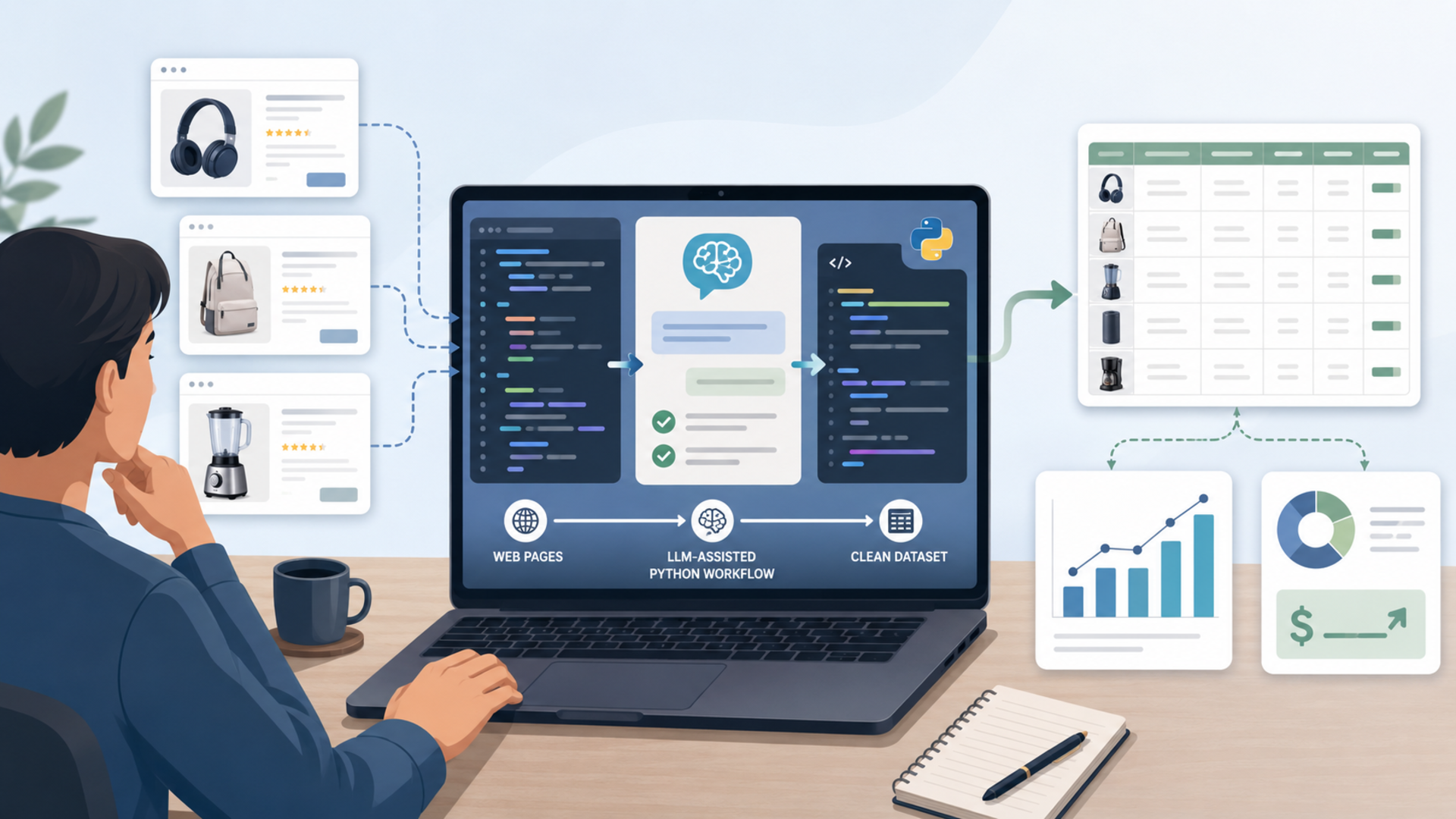
Make money web scraping by selling outcomes, not scripts
Most beginners start in the wrong place. They think the product is the scraper. It usually is not.
The product is one of these:
| What you sell | Example | Why someone pays |
|---|---|---|
| A one-time dataset | “All active independent gyms in Phoenix with pricing pages, trial offers, and class types” | Saves manual research time |
| A recurring monitor | “Weekly competitor price changes for 50 Shopify stores” | Helps a business react faster |
| A cleaned spreadsheet | “Supplier catalog normalized into SKU, price, stock, minimum order, and shipping fields” | Turns messy pages into usable operations data |
| A lead research file | “Public company pages showing vendors, locations, service areas, and decision-maker roles” | Supports sales research without buying broad data lists |
| A dashboard or report | “Rental listing trends by neighborhood, updated every Monday” | Makes raw listings easier to act on |
| A personal decision tool | “Used item arbitrage tracker comparing marketplace listings against resale prices” | Helps you find profitable opportunities for yourself |
A client rarely cares whether the scraper uses Python, Playwright, requests, an API, or a spreadsheet import. They care whether the data is accurate, current, formatted, and useful.
The best scraping ideas start with a buyer
A profitable web scraping idea has three traits:
- The data changes often enough to matter.
- The data is painful to collect manually.
- Someone can make or save money from the result.
A static list of “top restaurants in Chicago” is not very valuable. A weekly tracker showing which restaurants added delivery fees, changed menu prices, or launched catering pages may be useful to a local marketing agency, ghost kitchen operator, food supplier, or delivery consultant.
| Niche | Scrapeable public data | Possible buyer | Realistic offer |
|---|---|---|---|
| Local services | Pricing pages, service menus, areas served, appointment availability | Agencies, local operators, franchisors | Monthly competitor tracker |
| Ecommerce | Product titles, prices, stock status, promo badges, shipping thresholds | Store owners, brands, resellers | Daily price and stock monitor |
| Real estate | Public listing prices, days on market, amenities, neighborhood tags | Investors, property managers, relocation consultants | Weekly market report |
| Recruiting | Job titles, skills, salary ranges, remote/on-site status | Career coaches, staffing firms, training companies | Skills demand report |
| B2B software | Feature pages, pricing pages, integrations, changelog updates | SaaS founders, product marketers, investors | Competitor change digest |
| Events | Ticket prices, venue calendars, sponsor lists, speaker rosters | Event marketers, agencies, local media | Event intelligence database |
The key is to avoid scraping just because the data is available. Start with a buyer, then work backward to the dataset.
What to avoid scraping
This part matters because a bad scraping target can create legal, ethical, or business problems.
Avoid:
- private account areas
- login-gated data you do not have permission to collect
- personal contact data scraped from social profiles
- sensitive personal information
- copyrighted articles repackaged as your own product
- paywalled content
- medical, financial, or identity data
- sites that clearly prohibit your intended use
- anything that requires bypassing CAPTCHAs, access controls, or anti-bot systems
A safer rule is to scrape public, factual, business-useful data and transform it into analysis, monitoring, or structured records. Google’s robots.txt documentation explains that robots.txt tells crawlers which URLs they can access and is mainly used to avoid overloading sites with requests, while the IETF’s Robots Exclusion Protocol specification says robots.txt rules are not themselves access authorization. That means robots.txt is not the whole legal question, but it is still part of responsible scraping.
This article is not legal advice. The practical point is simple: if your business model depends on ignoring site rules, collecting personal data, or bypassing protections, choose a different project.
Why Python is the best language for AI-assisted web scraping
Python is the easiest recommendation for non-coders because it has a large web scraping ecosystem and most LLMs are good at writing readable Python. Python.org describes Python as a language that lets users work quickly and integrate systems effectively, which is exactly what beginner scraping projects need.
For a beginner, the stack usually looks like this:
| Task | Beginner-friendly Python tool | Use it when |
|---|---|---|
| Downloading simple pages | requests |
The page is plain HTML and does not require browser behavior |
| Parsing HTML | Beautiful Soup | You need titles, links, table rows, product cards, or text fields |
| Browser automation | Playwright | The site loads content with JavaScript or needs clicks/pagination |
| Data cleaning | pandas | You need CSV, Excel, deduping, filtering, grouping, or joining |
| Small local storage | SQLite | You want a simple database file without running a server |
| Larger storage | PostgreSQL | You need a real database for recurring jobs or clients |
| App routing | Proxifier | An app needs proxy routing but has no built-in proxy settings |
| Browser sessions | Instanciar | You need separate browser profiles with proxy support |
If you are not a developer, the goal is not to memorize every package. The goal is to understand what each piece is supposed to do so you can ask the LLM for the right thing and catch obvious mistakes.
Jivaro’s Python App Builder Prompt Workflow is a natural fit here because the hard part for non-coders is not just “write code.” It is prompting the model to build a usable Python script in stages: requirements, file structure, scraper logic, storage, validation, error handling, and next-step fixes.
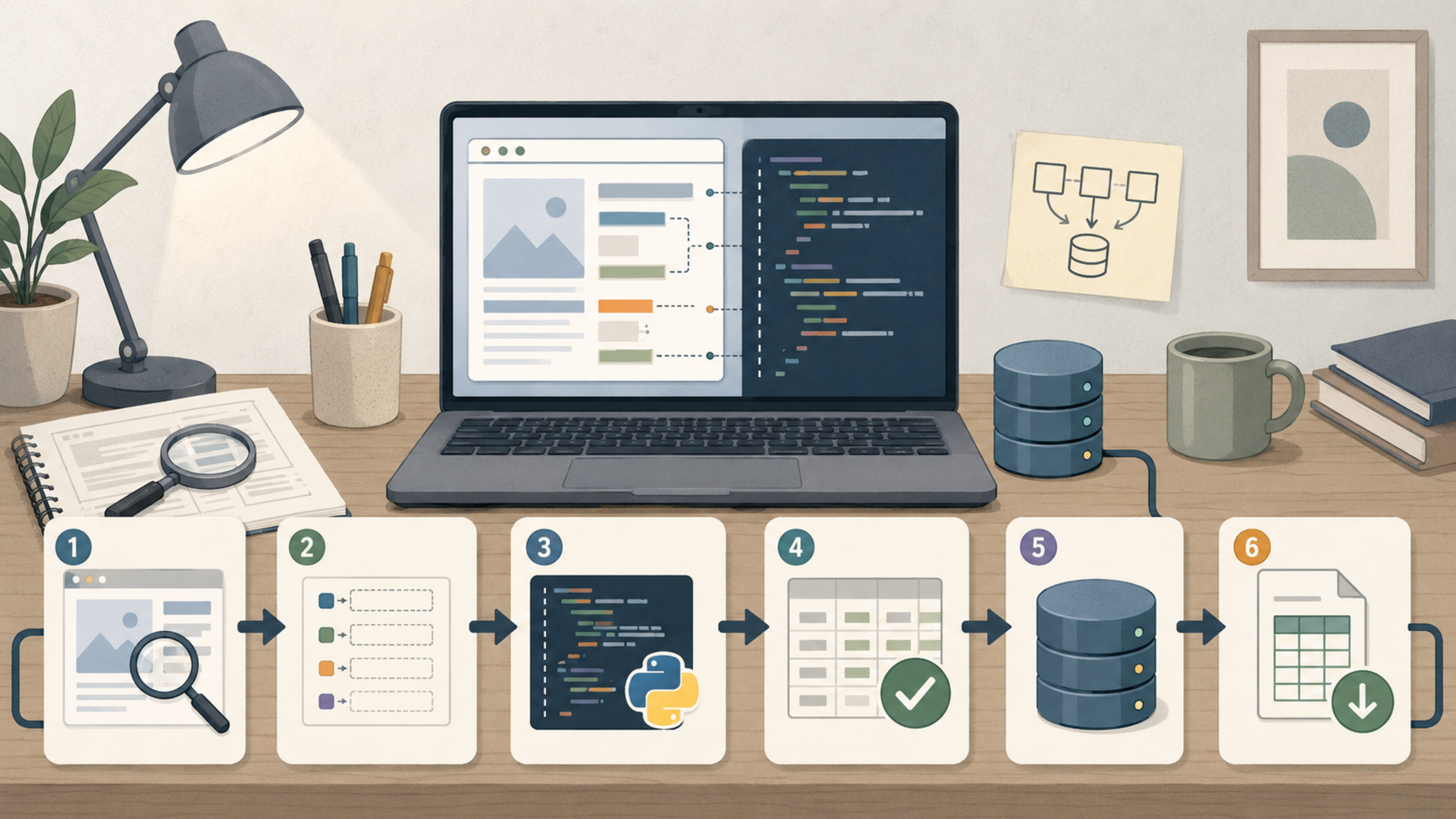
A practical LLM workflow for building a scraper
Do not start by asking:
“Write me a web scraper for this website.”
That prompt is too vague. A better workflow is to break the scraper into parts.
Step 1: Define the business result
Before writing code, define the output.
Example:
I want a CSV of 300 public product pages from small outdoor gear brands. Each row should include brand name, product URL, product title, listed price, stock status, product category, and date scraped.
That is much clearer than “scrape ecommerce products.”
Step 2: Inspect the page manually
Open the page and look for:
- where the data appears
- whether the page uses JavaScript
- whether pagination exists
- whether the data is available in page HTML
- whether the site has a public API or RSS feed
- whether the terms and robots.txt create issues
- whether the data is public and non-sensitive
If the data is already in a downloadable CSV, API, sitemap, RSS feed, or structured page source, use that before browser automation.
Step 3: Ask the LLM for a plan before code
Use a planning prompt:
I want to build a Python scraper for public product pages. The output should be a CSV with title, URL, price, stock status, category, and scrape date. Before writing code, list the safest technical approach, the Python libraries to use, the data schema, likely failure points, and what I should verify manually.
This keeps the model from jumping straight into brittle code.
Step 4: Generate the smallest working scraper
Ask for a scraper that handles one page first. Then one category page. Then pagination. Then storage. Then scheduling.
A good build order is:
- scrape one page
- extract fields
- save one row
- scrape a list of URLs
- add pagination
- add duplicate handling
- add logging
- add retry logic
- add storage
- add validation report
Step 5: Make the LLM explain the code
This is where non-coders gain leverage. Ask:
Explain this script section by section in plain English. Then list the five parts most likely to break if the website changes.
The point is not to become a senior developer overnight. The point is to understand enough to operate the tool responsibly.
Step 6: Ask for tests and guardrails
Ask the LLM to add:
- a small sample mode
- a delay between requests
- clear error messages
- duplicate checks
- missing-field reporting
- CSV output validation
- a log file
- a “do not run if robots.txt disallows this path” reminder
- a config file for URLs and output names
LLMs can generate code quickly, but they also make mistakes. OpenAI’s own API documentation says models can generate many kinds of text, including code, and its Structured Outputs documentation is useful when you need model output to follow a specific JSON schema. That does not remove the need to test the script.
What to scrape first: five realistic starter projects
A good beginner project should be narrow enough to finish and useful enough to sell.
| Project | What you scrape | Deliverable | Possible buyer | Why it works |
|---|---|---|---|---|
| Local competitor pricing tracker | Public pricing pages for 25–100 local businesses | Google Sheet + monthly summary | Local agency, franchisee, consultant | Manual competitor checks are boring and recurring |
| Ecommerce stock monitor | Product pages from approved/public sites | Daily CSV or alert list | Reseller, small brand, procurement team | Stock and price changes affect buying decisions |
| Job market skills report | Public job posts by role and city | Monthly skills dashboard | Career coach, bootcamp, recruiter | Turns messy job posts into trend data |
| B2B software change tracker | Pricing pages, integration pages, changelogs | Weekly competitor digest | SaaS founder, product marketer | Product teams need structured competitive intelligence |
| Rental listing snapshot | Public rental listings and amenities | Neighborhood comparison spreadsheet | Realtor, investor, relocation consultant | Time-sensitive listings are hard to monitor manually |
The first project should not require scraping thousands of pages. A small, accurate dataset beats a giant messy one.
How to store web scraping data
Bad storage ruins good scraping. If the dataset is messy, duplicates are everywhere, and the client cannot open the file, the scraper does not matter.
| Storage option | Best for | Pros | Limits |
|---|---|---|---|
| CSV | One-time delivery, simple files | Universal, easy to inspect, easy to send | Weak for history and relationships |
| Excel / Google Sheets | Client-facing delivery | Familiar to nontechnical clients | Can become slow or messy |
| SQLite | Small recurring projects | Simple local database file, good for history | Not ideal for multi-user apps |
| PostgreSQL | Serious recurring data products | Reliable, scalable, works with dashboards/apps | More setup required |
| Airtable / Notion database | Lightweight client portals | Friendly interface, easy filtering | Can get expensive or limited |
| Cloud storage | Larger raw files | Good for backups and exports | Needs organization and naming rules |
A useful starter schema looks like this:
| Field | Why it matters |
|---|---|
source_url |
Lets you verify where the row came from |
scraped_at |
Shows when the data was collected |
entity_name |
Company, product, property, job, or listing name |
category |
Makes filtering and grouping easier |
price_or_value |
Captures the metric people care about |
availability_or_status |
Useful for inventory, jobs, listings, and events |
raw_text |
Helps debug extraction later |
normalized_fields |
Clean columns for client use |
notes_or_flags |
Marks missing, suspicious, or changed data |
Do not overwrite yesterday’s data unless the client only wants a current snapshot. History is often where the value is. A weekly price file is useful; a 12-week trend line is better.
How to turn scraped data into something people buy
Raw scraped data is usually not enough. The money is in packaging.
Package 1: The one-time research spreadsheet
This is the easiest offer.
Example:
“I’ll build a spreadsheet of 500 public product listings in your niche with price, stock status, category, URL, and notes.”
This can work for founders, agencies, researchers, investors, and small ecommerce operators.
Package 2: The recurring monitor
This is better because it creates recurring revenue.
Example:
“Every Monday, you get a fresh competitor pricing file and a short summary of what changed.”
This is useful because many businesses do not need a scraper. They need updates.
Package 3: The alert system
Instead of sending a full dataset, send alerts.
Example:
“Email me when a competitor drops below $99, adds free shipping, or goes out of stock.”
This works for ecommerce, tickets, rental listings, supplier catalogs, and local services.
Package 4: The niche data report
This turns scraping into analysis.
Example:
“Monthly report: remote data analyst job postings by tool mentioned, salary range, and industry.”
This can be sold to career coaches, training companies, newsletters, or agencies.
Package 5: The internal decision tool
You do not have to sell the data to make money from it.
Example:
“Track underpriced used electronics, compare them against resale marketplaces, and flag listings with enough margin after fees.”
This is riskier operationally because you still have to buy, sell, ship, and handle returns, but the data can give you an edge.
Where to find clients for web scraping work
There are three practical channels.
1. Freelance marketplaces
Start with job boards where people already search for scraping help. Upwork has dedicated web scraping jobs and data scraping job categories, and Fiverr has marketplace categories for software development and automation-style services.
The problem is competition. Beginners should not sell “I can scrape anything.” They should sell a narrow outcome.
Better positioning:
- “I build weekly competitor price trackers for small ecommerce brands.”
- “I turn public directories into cleaned B2B research spreadsheets.”
- “I monitor local service pricing and produce monthly agency-ready reports.”
- “I build Python scrapers that export clean CSVs and include a validation sheet.”
2. Direct outreach to niche businesses
This is slower but often better.
Find a niche where data changes often. Create a small sample from public sources. Send a short message showing the result.
Example:
“I noticed your agency works with dental clinics. I built a small public-data sample showing 40 clinic websites, whether they publish pricing, whether they mention emergency appointments, and whether they have online booking. If useful, I can build this for all clinics in your target cities and refresh it monthly.”
The sample matters more than the pitch.
3. Productized data reports
Instead of custom work, create a repeatable report.
Examples:
- “Top 200 Shopify stores in a niche: promo and stock tracker”
- “Remote job skills dashboard for junior data roles”
- “Local contractor pricing benchmark by city”
- “Weekly rental listing snapshot for relocation consultants”
- “Competitor integration tracker for SaaS products”
This is harder to sell at first, but easier to scale once the format works.
Where to sell datasets
Selling datasets directly is harder than selling a service, because buyers need to trust data quality, rights, freshness, and delivery. Still, there are several paths.
| Channel | Best for | What to know |
|---|---|---|
| Direct client sale | Custom, niche, high-context data | Easiest path for beginners |
| Paid newsletter | Trends and recurring analysis | Sell insight, not raw rows |
| Private spreadsheet subscription | Small recurring data products | Works well for niche operators |
| API or small web app | Buyers who need live access | Requires more technical maintenance |
| AWS Data Exchange | Mature data products | AWS says providers can register to list data products on AWS Marketplace |
| Snowflake Marketplace | Enterprise-ready data, apps, models | Snowflake positions it as a way for providers to distribute data and apps globally |
| Kaggle | Free sample, credibility, portfolio | Better for reputation than direct sales |
Do not sell a dataset just because you scraped it. Selling data can raise licensing, privacy, copyright, and contract issues. If you plan to resell data at scale, get legal guidance and keep records showing source, permission basis, collection date, transformation, and allowed use.
How to use scraped data personally in a profitable way
Selling data is not the only path. Sometimes the easiest money is using the data yourself.
Ecommerce arbitrage
Track public product prices, sale pages, clearance items, and resale values. The scraper flags possible opportunities; you manually verify condition, fees, shipping, return risk, and actual demand.
Better client proposals
If you sell marketing, SEO, design, recruiting, or local consulting, scraped data can make proposals stronger.
Example:
“We checked 120 local competitors. Only 18 show transparent pricing, 42 have no online booking, and 71 do not mention weekend availability.”
That kind of data makes a pitch feel specific.
Job and career strategy
Scrape public job postings for roles you want, then count skills, tools, salary ranges, and remote requirements. A junior analyst might discover that SQL, Excel, Power BI, and Python show up far more often than a trendy tool they were about to study.
Content and newsletter research
Scrape public titles, release notes, product pages, or job posts to find trends. Do not copy content. Use the scraped metadata to guide original analysis.
Supplier and procurement monitoring
Small businesses can monitor supplier catalogs, stock status, and shipping thresholds. The value is in knowing when to buy, when to switch suppliers, or when a competitor’s product line changes.
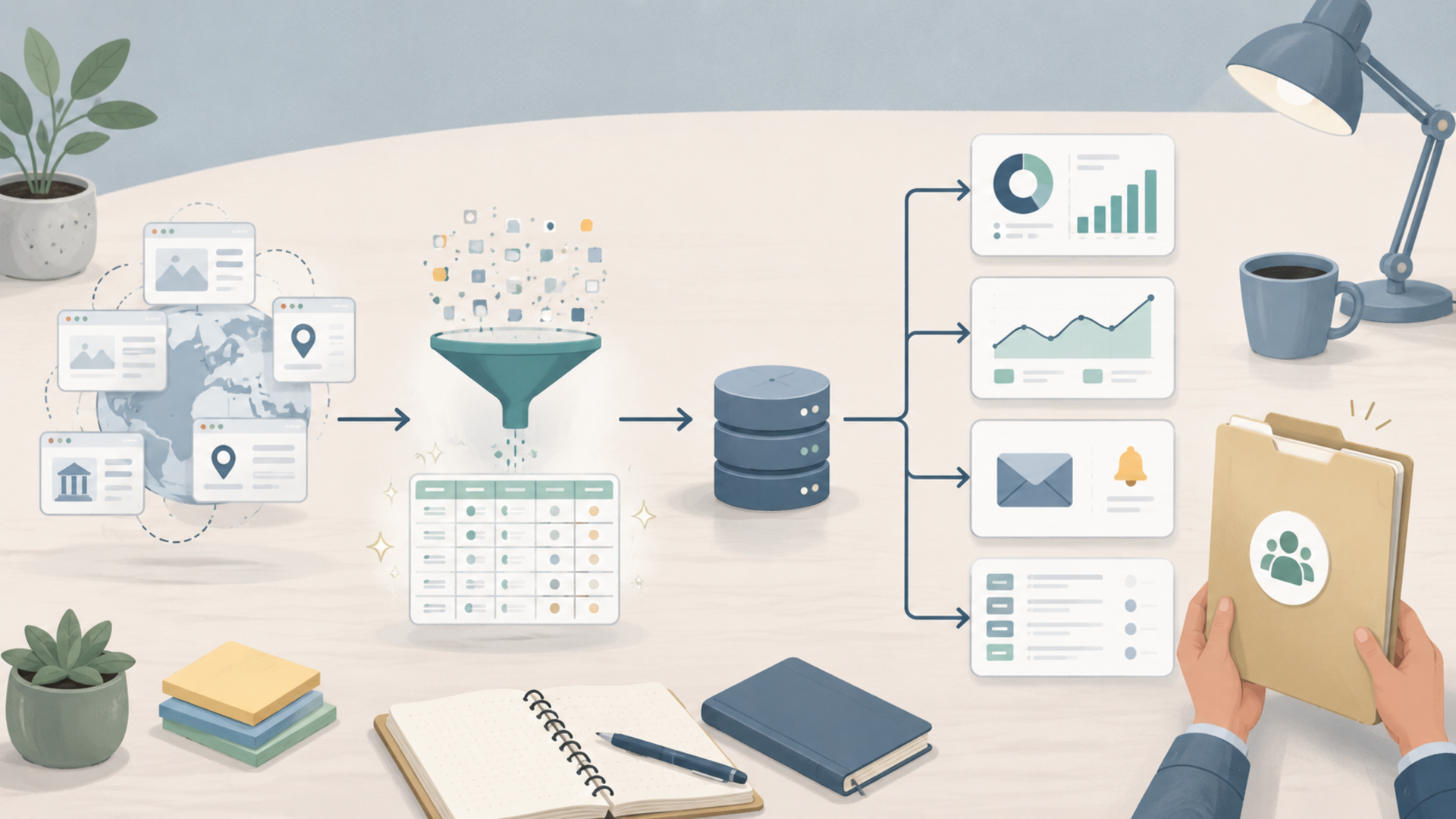
The proxy, VPN, and browser setup
Beginner scrapers should not start with proxies. They should start with small, polite, allowed scraping.
That said, proxies become relevant when you are doing geo-testing, rate-managed public data collection, or browser-profile workflows. Jivaro’s proxy provider guide is useful once you understand why you need a proxy. Jivaro’s VPN guide is the better fit when the issue is device-wide privacy, public Wi-Fi, or encrypted browsing.
The distinction matters:
| Tool | Use it for | Do not expect it to |
|---|---|---|
| Proxy | Route a specific app, browser session, or request through another IP | Make scraping automatically legal or invisible |
| VPN | Encrypt device traffic and protect public Wi-Fi browsing | Manage many browser identities cleanly |
| Instanciar | Separate browser sessions with proxy support | Replace responsible scraping rules |
| Proxifier | Route apps through proxies when they lack proxy settings | Fix messy browser fingerprints |
| Fingerprint testing | Check IP, DNS, WebRTC, timezone, and browser signals | Give permission to scrape restricted data |
For account-based workflows or regional testing, Instanciar can help keep browser sessions separate. For tools that do not support proxies natively, Proxifier can route app traffic. And if you are mixing proxies, browser profiles, and automation, Jivaro’s browser fingerprinting guide and proxy leak testing guide are worth reading before you scale.
A realistic beginner business plan
Here is a practical 30-day plan.
| Week | Goal | Output |
|---|---|---|
| Week 1 | Pick one niche and one buyer | One-page offer and 10 target businesses |
| Week 2 | Build a small scraper with AI-assisted Python | 50-row sample CSV with source URLs and scrape dates |
| Week 3 | Turn data into a useful report | Summary, charts, missing-field notes, and 3 insights |
| Week 4 | Pitch and refine | 30 outreach messages, 3 calls, 1 paid pilot target |
Do not start with a huge data platform. Start with a paid pilot.
A strong first offer might be:
“I’ll build a one-time competitor pricing spreadsheet for up to 75 public pages, including source URLs, scrape date, price fields, stock/availability status, and a short summary of what changed or stood out.”
A stronger recurring offer might be:
“I’ll refresh the dataset every Monday and send a change report showing new items, removed items, price changes, and missing fields.”
The recurring version is better because the client keeps needing it.
Quality control: what separates useful scraping from junk
The biggest difference between a beginner and a professional is not fancy code. It is validation.
Every paid scraping job should include:
- source URLs
- scrape date
- missing-field count
- duplicate count
- sample manual checks
- clear field definitions
- error log
- notes on pages skipped
- a warning if the source layout changed
- a delivery format the client can actually use
A good data delivery includes two sheets:
- Data — clean rows.
- Validation — counts, missing fields, duplicate rows, errors, and notes.
This makes the work feel trustworthy even if the scraper is simple.
Common mistakes that kill web scraping projects
| Mistake | Why it fails | Better approach |
|---|---|---|
| Scraping before choosing a buyer | You build data nobody wants | Start with a business decision the data supports |
| Selling raw rows only | Raw data looks cheap | Add cleaning, history, summaries, and alerts |
| Ignoring source rules | Creates avoidable risk | Check terms, robots.txt, and access restrictions |
| Scraping too much too soon | Scripts break and data quality drops | Start with 50–200 rows and validate |
| Trusting AI-generated code blindly | LLMs can invent selectors, logic, or files | Test in small steps and ask for explanations |
| No storage plan | You lose history and duplicate everything | Use CSV for one-off, SQLite/Postgres for recurring |
| No validation sheet | Client cannot judge accuracy | Include counts, errors, missing fields, and samples |
| Competing as a generic scraper | Race to the bottom | Sell niche outcomes and recurring monitoring |
FAQ
Can you really make money web scraping without knowing how to code?
Yes, but “without knowing code” should mean “without being a professional developer,” not “without understanding anything.” LLMs can help you write Python scripts, but you still need to define the data, test outputs, check errors, and understand the workflow.
Is Python the best language for beginner web scraping?
Python is the best starting point for most beginners because the libraries are mature and LLMs generally write readable Python. Beautiful Soup, Playwright, pandas, SQLite, and PostgreSQL cover most beginner-to-intermediate scraping workflows.
What is the easiest web scraping service to sell first?
A one-time competitor research spreadsheet is usually easiest. Recurring monitors are better long term, but a one-time spreadsheet is simpler to pitch, build, and deliver.
How much should a beginner charge?
Use project pricing instead of hourly pricing when possible. A small one-time dataset can be priced as a paid pilot. A recurring monitor can become a monthly service. The right number depends on niche, data difficulty, update frequency, and how much money the client can make or save from the result.
Can I sell scraped datasets on marketplaces?
Sometimes, but selling datasets is more complicated than selling a service. You need to consider rights, privacy, licensing, source terms, freshness, and data quality. Beginners are usually better off selling custom research or recurring reports before trying enterprise data marketplaces.
Do I need proxies for web scraping?
Not always. For small, allowed, low-volume public scraping, proxies may be unnecessary. Proxies become more relevant for geo-testing, browser-profile workflows, and larger public data collection. They do not make restricted scraping legal or ethical.
What should I ask an LLM to build first?
Ask for a small Python scraper that extracts one public page and saves one row to CSV. Then add URL lists, pagination, validation, logging, and storage one step at a time.
Conclusion
Making money with web scraping is not about grabbing as much data as possible. It is about finding a business question, collecting the right public data, cleaning it, storing it, and delivering it in a format someone can use.
LLMs make this more accessible because they can help non-coders build Python scripts, debug errors, and explain what the code is doing. But the real skill is still judgment: choosing the right target, respecting boundaries, validating the output, packaging the result, and selling a useful outcome.
Start small. Pick one niche. Build one 50-row sample. Turn it into one useful report. Show it to people who already have the problem. That is the cleanest path from “I do not know how to code” to a web scraping service people will actually pay for.
References
- Python.org
- Beautiful Soup documentation
- Playwright for Python
- pandas I/O documentation
- OpenAI text generation documentation
- OpenAI Structured Outputs documentation
- Google Search Central: robots.txt introduction
- RFC 9309: Robots Exclusion Protocol
- AWS Data Exchange provider documentation
- Snowflake Marketplace for Providers
- Upwork web scraping jobs