Crimson Desert Patch 1.01.00 Adds Mounts and Improves Input
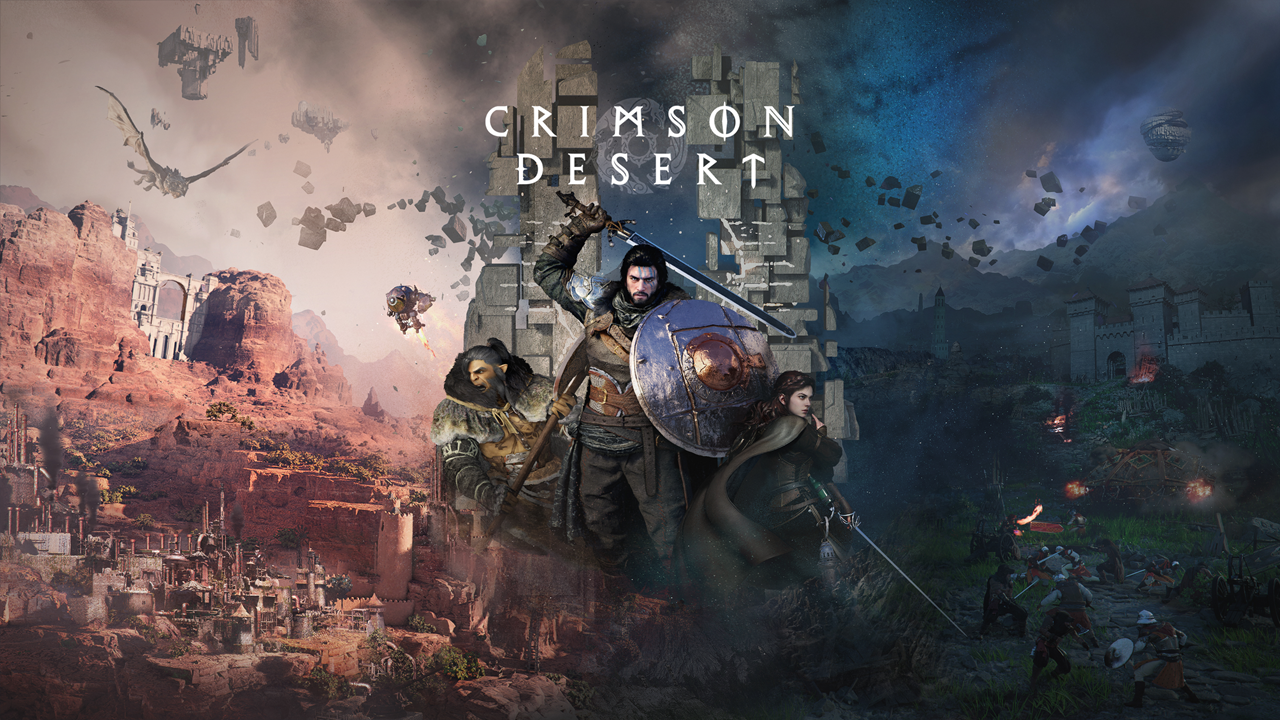
Crimson Desert Patch 1.01.00 was detailed by Pearl Abyss on March 28, 2026, as the studio pushed out another large post-launch update aimed at smoothing out one of the year’s most closely watched game releases. The patch adds five summonable mounts, reduces loading times for fast travel and revival, and expands a growing list of control, combat, interface and stability changes as the developer continues responding to early player complaints.
The update lands just over a week after Pearl Abyss publicly acknowledged that many players were experiencing discomfort with the game’s controls and apologized specifically for not delivering a satisfactory keyboard-and-mouse experience. That earlier message framed control fixes as a priority, and Patch 1.01.00 shows the studio moving further in that direction. It builds on the first wave of post-launch fixes by broadening movement adjustments, refining interaction systems and addressing quality-of-life problems that had quickly become major discussion points among players.
The most visible additions in Crimson Desert Patch 1.01.00 are the five new mounts, which Pearl Abyss says can be obtained after meeting certain conditions. The patch also introduces chests with materials across Pywel, a new Refinement Token item that can temper equipment up to Stage 4 without extra materials, and a “Make Now” function that lets players cook or craft more directly from the menu. Inventory management, another sore point for players during launch week, has also been improved with a “Store all selected items” option for private storage and a relocated storage chest in Howling Hill Camp.
A number of smaller systems have also been revised in ways likely to matter over long play sessions. Shop item knowledge can now be learned in bulk, wells provide more water at once, and certain tools such as the Mining Knuckledrill and Demenissian Chainsaw now let players collect materials immediately. Pearl Abyss also adjusted criminal behavior so Contribution no longer drops before an NPC actually witnesses the act, a change that alters the game’s crime logic in a way many players are likely to notice.
Controls and traversal remain at the center of the patch. Movement for both Kliff and horses has been reworked so speed no longer falls off simply because the run input is not constantly held. Flight now consumes less stamina, activates more reliably and allows equipment to be used in the air, while Aerial Stab has been rebalanced after an unintended loop allowed repeated midair use. Pearl Abyss also improved short-distance turning, expanded interaction range with NPCs and objects, added more aiming guidance for tools, and introduced a more precise Axiom Force control option for keyboard-and-mouse players.
Combat tuning is folded into the same effort. The patch prevents certain enemies from attacking immediately after a death-and-revive sequence, adds weak-point indicator effects for each element, fixes issues around stun gauges and midair skills, and corrects several odd combat behaviors tied to specific enemies, bosses and equipment states. It is less of a sweeping rebalance than a cleanup pass, but it continues the pattern of making Crimson Desert feel more readable and less punishing in edge cases.
UI and technical work make up another large share of the update. The minimap can now be locked with north at the top, skill menus show stat gains for the next level, notifications hold more information and store more entries, and several menu displays have been made easier to read. On the technical side, Pearl Abyss says it improved rendering stability in low-resolution and upscaled environments, refined translucent material rendering when ray reconstruction is enabled, reduced frame drops in the Crowcaller fight and shortened loading times when using Abyss Traces or respawning after death. PlayStation 5 players also receive a new Fixed 4K Output option aimed at producing a sharper image.
One line in the patch notes may draw particular attention beyond routine bug fixing. Pearl Abyss says it has replaced select 2D visual assets as part of ongoing visual improvements to better align with the game’s art direction. That change comes after the studio recently apologized for AI-generated art assets that players discovered in the release build, making Patch 1.01.00 feel not just like a mechanical update, but part of a broader effort to stabilize the game’s public standing after a turbulent launch.
Pearl Abyss has described the rollout as platform-dependent, with PlayStation availability beginning on March 29 and other platform timing still being updated separately. Even so, the broader message of Crimson Desert Patch 1.01.00 is already clear. The studio is moving quickly, focusing on friction points players raised almost immediately, and using rapid updates to try to turn a visually ambitious but rough-edged debut into a more polished long-term success.
Patch Notes Version 1.01.00
Mar 28, 2026, 18:00 (UTC)
Major Updates
This patch adds 5 summonable mounts, decreased loading times for fast travel and revival, and some more changes to controls as part of our ongoing efforts to improve the game's controls.
Update Schedule
Patch 1.01.00 will become available on PlayStation, Xbox, Epic Games Store, and Mac at a later time.
Please check back to this notice and we'll provide updates on when all the patches for each platform become available.
Content
Added 5 new mounts that can be obtained and summoned after completing certain conditions.
Legendary Animals: White Bear, Silver Fang, Snowwhite Deer
Boss' Mounts: Rock Tusk Warthog, Icicle Edge Alpine Ibex
The people of Pywel are not afraid of tamed animals, so feel free to travel through towns with these mounts.
If you had already caught any of the Legendary Animals before this patch, you will retroactively receive the corresponding reward in the "Extra Rewards List" when you get into the game.
Added chests containing various materials throughout Pywel.
Added the "Refinement Token" item. With this item, equipment can be tempered up to Stage 4 without consuming any additional materials. Refinement Tokens can be obtained from certain main and faction quests.
Added a "Make Now" function which allows food and items to be cooked/crafted immediately in the Cooking/Crafting menu once a recipe is selected, without having to separately select ingredients.
Added a "Store all selected items" function to move all items from the inventory to your private storage. (Keyboard: Shift+RMB/ PS5: □ / Xbox: X)
Moved the the private storage chest in Howling Hill Camp, previously located behind Karl, to inside Kliff’s tent.
Added wholesale grocer shop NPCs to regional farms in Pywel, and accordingly adjusted the quantity of certain Knowledge entries.
Improved shop item knowledge acquisition so that knowledge for all items sold in shops can now be learned at once, with the learning time set to 3 seconds.
Improved locked doors so that an interaction button is displayed, allowing players to choose whether to use a key to open the door.
Improved pets so that they do not stray excessively far away during combat.
Fixed an issue where pets in certain situations were unable to loot during combat.
Improved wells so that 5 units of water can be obtained at a time.
Improved the Mining Knuckledrill so that items obtained from drilling can be collected immediately.
Improved the Demenissian Chainsaw item so that lumber from felled trees can be collected immediately.
Changed the crafting materials for the Kuku Watcher Pack.
Improved Abyss Cells dropped from destroying disappearing rocks so that they can now be placed into the Kuku Pot.
Improved the Knowledge Helm so that all obtainable knowledge visible on the screen can be acquired at once.
Slightly increased the treasure detection range of the Pirate King Hat.
Additional inventory expansion items obtained after reaching the maximum inventory expansion limit (240 slots) will now be granted as boxes containing crafting materials and other items.
Made the Abyss more convenient to play.
Reduced the chance of pickpockets running into houses while fleeing.
Increased the maximum camera distance in Photo Mode, added a field of view adjustment feature, and a camera shutter sound effect.
As part of ongoing visual improvements, replaced select 2D visual assets to better align with the game's art direction.
Fixed an issue where resting or waiting at beds, campfires, and similar objects were unavailable.
Fixed an issue where Damiane and Oongka would become invisible under certain circumstances.
Fixed an issue where money deposited in the bank could disappear when interest was refreshed under certain circumstances.
Changed sealable items so that when they become lost, sealable items will become sealed and items that cannot be sealed are registered as lost items.
Improved the system so that leaving out a sealable item and then saving and reloading the game triggers either a sealed or lost item notification.
Changed criminal acts to not decrease Contribution before an NPC witnesses the act.
Changed the functionality of an item.
Changed the functionality of the 'Master Du's Circlet' item.
Once equipped, pressing the item use prompt keys will immediately fire projectiles.
Controls & Combat
Improved movement controls for both the player character and horse.
Movement speed increases by holding down the running key.
Movement speed increases by tapping the running key once.
Movement speed for the player character and horse will no longer decrease even if the running key is not held continuously.
(Please note that maintaining the full sprint state still requires periodic input of the sprint button.)
Improved the usability of Flight.
Reduced Flight's stamina consumption.
Fixed the issue where the character briefly stops for a moment before moving with Flight.
Improved Flight so that equipped equipment can be used while flying.
Improved an issue where Flight would not activate in certain situations.
Changed the mechanics of Aerial Stab. Because there was an unintended issue that allowed the skill to be used repeatedly in midair, Aerial Stab was adjusted so that it can still be used as a fun movement mechanic without disrupting overall game balance.
Improved the animation for Aerial Stab.
Changed Aerial Stab so that the stamina required for the skill increases with each consecutive use.
Fixed an issue where Aerial Stab would not activate when Kliff had a different main weapon other than a one-handed sword equipped.
The stamina requirements for Aerial Maneuver and Aerial Swing have been reduced.
Improved the interaction range to make interacting with NPCs more convenient.
Improved the player character's turning responsiveness during short-distance movements.
[Keyboard/Mouse] Fixed an issue where the Blinding Flash and Spinning Slash skills would be interrupted when continuously being inputted under certain conditions.
[Keyboard/Mouse] Improved so that items can be sold by double-clicking them in shops.
Added weak point indicator effects for each element.
Adjusted certain bosses and enemies so they do not attack immediately after the player character dies and revives.
Fixed an issue where Meteor Kick could be cast in midair even when there was no reachable ground.
Added an aim key guide for tool-type items.
Changed weapons so that they can now be drawn using the unsheathe weapon key, and improved the UI so that this key guide is displayed during combat.
Fixed an issue where the stun gauge would sometimes reset instantly when a boss using a mount fell off it.
Changed Small and Medium Stoneback Crabs to fall backwards when hit by the Force Palm ability.
[Keyboard/Mouse] Improved inventory usability as follows:
Changed selecting and using items from mouse hover to mouse click.
Left-click to select items in the inventory.
Right-click or double-click to use items.
Reduced Stamina consumption while sprinting and using Crow Wings.
Fixed an issue where the knockback range of Focused Repulsion was abnormally large.
Made an adjustment so that the wheels of Desert Marauder Rusten can no longer be destroyed from beyond a certain distance.
Fixed an issue where Roll and Evade could not be performed while using focus skills.
[Keyboard/Mouse] Added a "Precise Control" feature for Axiom Force. Holding Q or the mouse back button while moving the mouse now allows objects to be moved more precisely.
Improved objects so that they are easier to interact with.
Improved the UI to display a guide message when attempting to draw a weapon in locations or states where weapons cannot be drawn.
Quests
Improved the transition into the liberation sequence so it feels less abrupt while liberating a location.
Fixed an issue in the Prologue quest “New Journey” where progression could be blocked if the player throws an object at Sebastian to attack him.
Fixed an issue in the Chapter 2 quest "Missing Companion" where the delivery target sometimes disappeared during the quest.
Fixed an issue in the Chapter 3 quest "Dance with the Devil" where destroying the totems would occasionally not reduce the totem count.
Added additional guide prompts where guidance was previously lacking.
UI Fixes & Improvements
Added a feature that allows the minimap to be fixed with North (N) at the top.
Added information in the Skills menu showing stat increases for the next skill level.
Added icons on the minimap to indicate the locations of keys and anvils.
Improved the Notifications menu to allow checking quest/challenges progress (accepted, completed, updated), reward information, and time details. The maximum number of stored notifications has also been increased to 2,000.
Added an icon to the Journal menu to indicate new quests.
Improved the minimap so that faction facilities are displayed when that particular faction's liberation gauge is shown.
Improved the overall main screen notifications, including how long they are displayed and when they disappear.
Improved the Cooking/Crafting menu so that recipes of the same type (Filling, Satisfying, Hearty) are displayed as a single group.
Improved the Duo game so that a key guide for peeking is displayed during gameplay.
Removed the whiteout effect during the retry loading sequence after death.
Improved the Knowledge menu UI so that both main categories and subcategories can be viewed at once.
Changed the key guide UI image for PlayStation controller's L3/R3 buttons and Xbox controller's LS/RS buttons.
Changed the Inventory UI so that when using Pouch-type items, "Use All" is the option selected by default.
Improved the text color of UI descriptions to appear brighter.
Graphics & Settings
Improved rendering stability and visual quality in low-resolution environments or when upscaling is enabled.
Improved the rendering of translucent materials such as hair, fur, and clothing when FSR-RR / DLSS-RR is enabled.
[PlayStation 5] Added a “Fixed 4K Output” option to provide a sharper gameplay experience.
When this option is enabled, the game will output at 4K resolution regardless of whether the display natively supports 4K, allowing for a sharper image.
On the base PlayStation 5 in Performance Mode, enabling this option will allow you to upscale with FSR.
This option is enabled by default and can be disabled.
When disabled, the game will output according to the maximum resolution supported by the monitor.
Fixed an issue where screen noise would increase during long gameplay sessions.
Fixed an issue where displacement mapping was not applied correctly when DLSS-RR was enabled. In addition, the DLSS-RR preset has been changed from D to E, improving overall visual quality and fixing an issue where texture animations, such as waterfalls, could stop playing.
Performance, Stability, Gameplay
Loading times have been reduced when traveling via Abyss Traces and when respawning after death.
Fixed several stability, performance optimization, and crash issues across PC, console, and Mac.
Fixed an issue where frame drops occurred during the battle against Crowcaller.
Localization
Fixed a UI issue where the current quest objective could incorrectly display certain item descriptions instead.
Fixed various localization errors and improved localization quality (game advice, etc.) across all languages.
Others
Added sound effects when certain animals eat meat.
Other Fixes
Fixed an issue where certain interactions would not function when enhancing some tools.
Fixed an issue in the Twisted Thicketway Abyss where the Skybridge Gate could be opened without restoring the adjacent Abyss.
Improved cows not properly following during herding.
Fixed an issue where greeting others while having a low bounty could trigger a crime.
Fixed an issue where using Nature's Snare affected nearby NPCs.
Fixed an issue where housing mode would close when pressing the drag button outdoors.
Fixed an issue where falling onto shallow water could occasionally cause the character to dive to an abnormal location.
Fixed an issue where the effect of the Energy Drain Abyss gear would not activate.
Fixed an issue where unintended functionality was applied to the Constellation Helm.
Fixed an issue where movement speed would briefly decrease before initiating gliding.
Fixed an issue where items would be put away when changing equipment via quick slot while equipment was already drawn.
Fixed an issue where bow aiming was not possible in certain situations.
Fixed an issue where using Blinding Flash Finisher at the edge of a cliff would launch the character far away.
Fixed an issue where some UI elements would overlap when displayed at the same time under certain circumstances.
Fixed an issue where attacking NPCs with trees was not considered a crime.
Fixed various other in-game issues.