Crimson Desert Patch 1.00.03 Adds Storage and Control Fixes
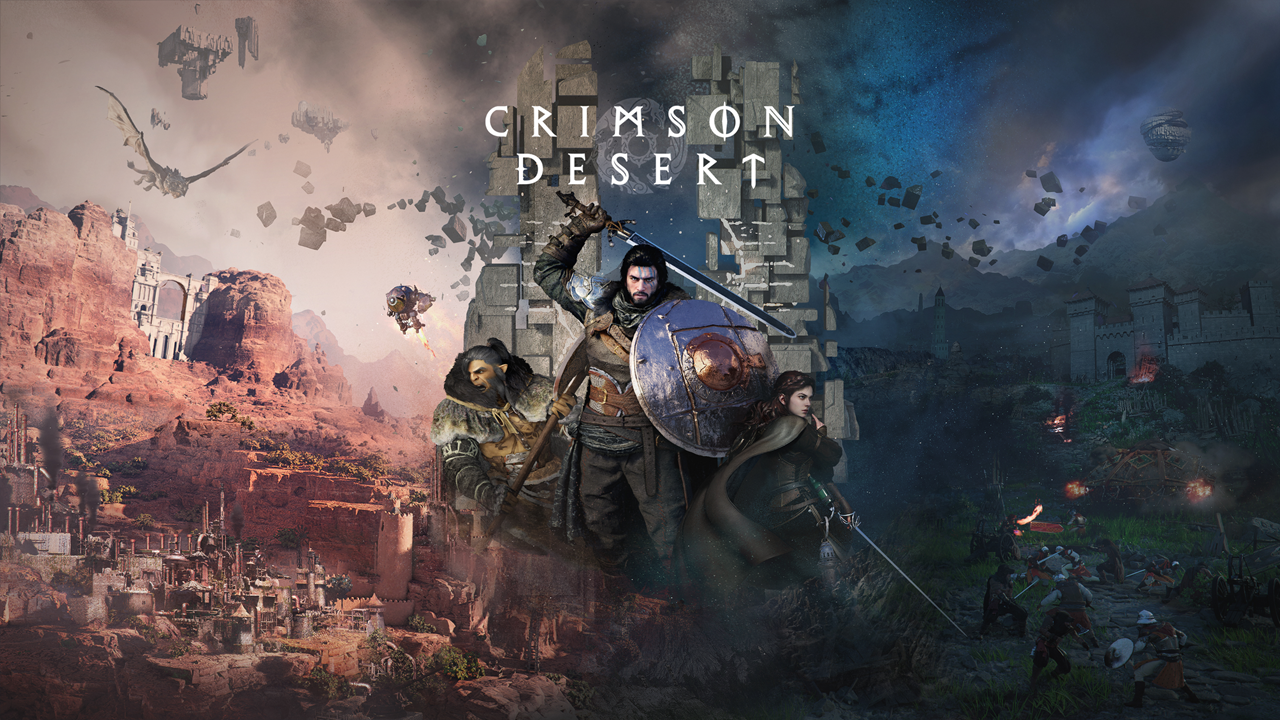
Crimson Desert patch 1.00.03 is rolling out as Pearl Abyss moves quickly to respond to early player complaints about controls, inventory pressure, difficulty spikes and technical problems in its newly released open-world action RPG. Announced on March 23, 2026, the update adds Private Storage, expands fast travel options across Pywel and delivers a wide set of fixes touching quests, combat, user interface, graphics and overall stability.
The patch arrives only days after launch and continues a fast post-release update cadence for one of 2026’s most closely watched games. Pearl Abyss said the rollout would be staggered by platform, with PlayStation 5 receiving the update first while Xbox, Epic Games Store and Mac App Store versions would follow later. The company framed the patch as an initial response to player reports gathered from issue submissions, videos, livestreams and community discussions, and said more changes are still under review.
That context matters because Crimson Desert opened to strong commercial momentum but also immediate criticism in several key areas. Outside coverage of the launch highlighted frustration over the game’s demanding control setup, especially for keyboard and mouse users, along with complaints about restrictive inventory management and friction in some early systems. Pearl Abyss acknowledged those concerns directly in a March 21 message to players, apologizing for the keyboard and mouse experience and promising a patch aimed at improving it. Version 1.00.03 is the first broad update that appears designed to answer that promise in a visible way.
The most immediately noticeable quality-of-life addition is Private Storage, a feature many players had been asking for almost from the moment the game went live. The new storage option can be used to move items out of the player’s Inventory, and Pearl Abyss said it is available at the initial temporary lodgings in Hernand as well as at the Howling Hill Camp. For a game whose loot flow, crafting materials and survival items can quickly crowd available space, the addition is likely to be seen as one of the most practical changes in the patch.
Traversal is also getting attention. Pearl Abyss said it has added more Abyss Nexuses across the continent of Pywel to improve fast travel via teleportation, a move that should reduce downtime in a game built around long-distance movement between quests, combat encounters and puzzle areas. The update also increases the Lantern’s clue-detection range and changes ore veins and collectibles so they are discovered automatically within a certain distance, signaling an effort to make exploration smoother and less reliant on trial-and-error scanning.
Progression systems have been adjusted as well. The patch reduces the time required to acquire knowledge, changes skill observation so it only needs to be completed once before a skill can be used, and moves Force Palm earlier in the game. It also makes trees easier to log, removes the need to aim first before chopping, raises the Health restored by ingredients and food items, and adds new food to the Hernand Tavern. Several minigames, including Arm Wrestling, Marksmanship and the Archery Contest, have also had their difficulty reduced.
Combat and boss tuning are another major focus. Pearl Abyss said it has reduced the Health and Attack of specific enemies and bosses, lowered the difficulty of the ambush encounters on the way to the Reed Devil boss stage, adjusted attack patterns for Kearush the Slayer and increased stun-gauge buildup on bosses after a successful parry. Other fixes address fire arrows failing to ignite enemies, bosses behaving unnaturally in certain situations, and boss weakness effects not displaying correctly. In practical terms, the patch suggests the studio is trying to make combat remain challenging while cutting down on the kinds of frustration points that can make difficult encounters feel unfair.
The control changes are especially significant given how central they were to the early backlash. The patch improves the response speed of the interaction UI, jump responsiveness, aiming behavior when using a Lantern or fighting unarmed, equipment quick-slot handling and Main Menu responsiveness. For keyboard and mouse players, Pearl Abyss added direct shortcuts for the Inventory, Skills, Journal and Map menus, improved character movement responsiveness, changed Axiom Force controls to preserve movement input and added default mouse side-button options for Guard or Aim and Evade. It also fixes issues related to key guides, duplicate key assignments and input problems after changing shortcut settings.
On top of that, the patch pushes through a long list of UI, graphics and performance fixes. Food items can now auto-register to a quick slot on first acquisition, the Knowledge and Notifications menu has been moved to the Journal tab, and several intermittent cursor and destination display issues have been fixed. Graphically, the update targets settings retention problems, screen-quality abnormalities tied to upscaling and ray-reconstruction features, invisible equipment and cats on minimum settings, cut-off display problems in various screen modes and Mac-specific crashes. Performance fixes include a PlayStation 5 Map-menu crash, dedicated graphics card recognition problems on some PC systems and several broader stability optimizations across PC and console platforms.
The patch also addresses smaller but telling friction points that show how closely Pearl Abyss is reading launch feedback. Carl’s restorative items at Howling Hill Camp are now much cheaper, pets should loot more reliably, horse behavior has been improved so mounts come closer after being called, and death and loading sequences have been sped up. Even details like puzzle visibility, animal behavior near the player, English audio lines and abnormal NPC placement received attention, giving the update the feel of a broad first cleanup pass rather than a narrowly targeted hotfix.
Whether Crimson Desert patch 1.00.03 is enough to materially shift player sentiment will depend on how much these changes improve the feel of the game in day-to-day play. But as a signal from Pearl Abyss, the message is clear. The studio is prioritizing control responsiveness, inventory relief, traversal convenience and combat tuning within the game’s first week on the market, and it is doing so publicly and quickly. For players who liked Crimson Desert’s ambition but were frustrated by the rougher edges, version 1.00.03 may be the first meaningful test of how responsive the post-launch support plan will actually be.
Patch Notes Version 1.00.03
Quests
Fixed an issue in the Chapter 2 quest "Reunion" where the cat would sometimes stop leading the way.
Improved the Chapter 4 quest "Mysterious Pot" by making the symbol stop briefly when it reaches the correct position while repairing the ancient generator.
Fixed an issue in "Turnali's Request" where the quest would not complete if a Bekker Shield that had already been refined was refined again.
Improved the notification to appear when crime status prohibit the quest from progressing,
Content
Added more Abyss Nexuses across the continent of Pywel to improve fast travel via teleportation.
Added the Private Storage that can be used to store items from your Inventory.
The Private Storage is located at the initial temporary lodgings in Hernand and at the Howling Hill Camp.
Reduced the time required to acquire knowledge.
Changed skill observation to be only required once to learn before being able to use it.
Adjusted when Force Palm is learned to allow players to use it much earlier in the game.
Reduced the number of hits required to log trees.
Changed logging so that trees are chopped with basic swings without aiming first.
Decreased the QTE difficulty in the Arm Wrestling minigame when pinned by an opponent (Mount).
Improved the visibility of items that can provide knowledge by adding icons and tooltips that show the total number of knowledge acquired.
Changed ore veins and collectibles to be discovered automatically when you are within a certain proximity.
Regular Ores: 8m
Tools: 2m
Bonfire, Special Cooking Tool, Grindstone
Improved Skybridge Alignment Devices in the Abyss to trigger immediately when placed in the correct activation point.
Improved the visibility of Skybridge Alignment Devices within the Abyss to make them easier to locate.
Improved the visibility of the circuit board attached to Axiom Force to show its lines while being moved.
Improved camera movement when aiming a bow at a brazier and adjusted the range for lighting arrows accordingly.
Added an indestructible brazier in front of the Lioncrest Watchtower.
Improved the Trading Post UI to display Damiane, Oongka, and Kliff's horses' Inventory.
Added effects for destroying facilities at enemy strongholds. The effects of facility destruction are as follows:
Infirmary: Wounded enemies no longer return to the fight.
Storage Facilities: Enemy Max Health -10%.
Barracks Facilities: Enemy Attack -5.
Improved the visuals of certain puzzles for clarity.
Increased the Health restored by ingredients and food items, and added new food to the Hernand Tavern.
Increased the Lantern's range for detecting clues.
Reduced Stamina consumption for Nature’s Grasp.
Fixed an issue where pets would fail to loot items under certain conditions.
Changed certain items in the Witches' shop to reset daily.
Changed the properties of bismuth ore and how it is gathered.
Petrification is now applied by default when you approach bismuth ore.
Bismuth ore can now be mined using regular methods like a pickaxe, rather than requiring Lightning damage attacks.
Lowered the difficulty of the Marksmanship and Archery Contest minigames.
Fixed an issue where the Abyss cell's electric field would not disappear.
Improved the visibility of the part that needs to be grabbed with Axiom Force on the Skybridge Alignment Device.
Changed Visione to be automatically equipped and play after reading memory fragments with the Lantern.
Fixed an issue in the Ethereal Pathway Abyss where players could not observe Force Palm if they did not step on the Abyss Nexus.
Fixed an issue where Stamina was not consumed after a certain quest cutscene.
Controls
[General] Improved the response speed of the interaction UI.
[General] Improved the responsiveness of jump inputs.
[General] Fixed aiming to target the center of the screen when using a Lantern or while unarmed.
[General] Improved the Equipment Quick Slot so that re-selecting your current equipment will stow it.
[General] Improved the responsiveness of the Main Menu UI.
[General] Fixed an intermittent issue where the Main Menu would not open.
[Keyboard/Mouse] Improved the responsiveness of character movement controls.
[Keyboard/Mouse] Added the following shortcuts to open and close certain menus:
Inventory: [I]
Skills: [K]
Journal: [J]
Map: [M]
[Keyboard/Mouse] Fixed an issue where the key guide at the bottom right of the screen would not update when using Guard or Aim.
[Keyboard/Mouse] Added default control options for Guard/Aim (Side Button 1) and Evade (Side Button 2).
[Keyboard/Mouse] Changed controls to maintain movement input when using Axiom Force.
[Keyboard/Mouse] Fixed an issue where duplicate keys could be assigned in Shortcuts and Input Settings.
[Keyboard/Mouse] Fixed an issue where certain inputs did not function correctly after changing the Shortcuts and Input Settings.
Boss Fights & Combat
Reduced the Health and Attack of specific enemies and bosses.
Reduced Stamina consumption for blocking attacks.
Lowered the difficulty of the ambush encounters triggered while heading toward the Reed Devil boss stage.
Adjusted certain attack patterns for Kearush the Slayer.
Increased the accumulation of the stun gauge on bosses upon a successful parry.
Changed boss weakness effects to display even if the player has not acquired the specific knowledge.
Fixed an issue where comrades remained when entering a boss fight.
Fixed an issue where fire arrows failed to ignite enemies on hit.
Fixed an issue where certain bosses fell unnaturally in specific situations.
Fixed an issue where certain bosses ran away too frequently when hit under specific circumstances.
Fixed an issue where the Blinding Flash weakness was not being properly applied to certain enemies.
NPC & NPC Dialogue
Fixed an issue where some English audio lines were not playing.
Reduced the price of restorative items sold by Carl at Howling Hill Camp from 10 Silver to 1 Silver.
Improved animal behavior to appear more natural when near the player.
Fixed abnormal behavior and placement positions for certain NPCs.
Fixed an issue where NPCs would catch each other cheating during the minigame Duo.
UI Fixes & Improvements
Improved food items to automatically register to a quick slot upon first acquisition.
Improved the display positioning for the Homing Pigeon letter UI.
Improved the camera movement when observing skills.
Fixed an intermittent issue where the UI failed to remove the destination on the Map menu.
Fixed an intermittent issue where the cursor did not display correctly when navigating the Shop menu.
Moved the Knowledge and Notifications menu from the Others tab to the Journal tab and adjusted the order.
Graphics & Settings
[PlayStation 5] Added a toggle for 120Hz mode within Settings.
Fixed an issue where settings were not saving correctly after using the Default option in the Settings menu.
Fixed an issue where resolution and upscaling settings were not retained when restarting the game.
Fixed an issue where character equipment and cats were invisible on the minimum performance quality setting.
Fixed an issue where screen quality appeared abnormal when activating FSR Ray Regeneration or DLSS Ray Reconstruction.
Fixed an issue where monitor size was incorrectly detected at certain resolutionsm causing abnormal display output.
Fixed an issue where the game screen appeared cut off or misaligned in Fullscreen, Windowed, and Borderless Window modes.
[Mac] Fixed an issue where default graphics settings were incorrectly set to Cinematic on certain MacBook models.
[Mac] Fixed an issue where the game would occasionally crash under specific graphics settings.
Fixed an issue where the Abyss remained visible in specific situations while on the ground.
Improved and fixed various visual effects triggered during specific NPC animations.
Improved the appearance of the waterfall in the Abyss tutorial.
Fixed awkward animations that occurred when a character collided with a wagon.
Fixed an issue where letterboxing failed to deactivate after certain cutscenes.
Performance, Stability, Gameplay
[PlayStation 5] Fixed an issue where the game would occasionally crash when opening the Map menu.
Fixed an issue where the game would not launch because dedicated graphics cards were not recognized in environments using both integrated and dedicated graphics cards.
Fixed an issue where graphics cards were not correctly recognized on versions below a specific build of Windows 10 (Improved detection for graphics card versions that could not be found).
Fixed several stability, performance optimization, and crash issues across PC and console platforms.
[Xbox] Fixed an issue where gameplay was unavailable while offline.
Localization
Fixed various localization errors and improved localization quality across all languages.
Others
Fixed an issue where the death and loading sequences were delayed.
Improved horse behavior to approach the player after being called.
Fixed an issue where the character would be pushed sideways when using Force Palm or Stab while against a wall.
Fixed an issue where DualSense Controller vibration failed to function in specific Windows environments.