
ViperSoftX Malware Masquerades as eBooks in Torrents, Poses Significant Threat to Users
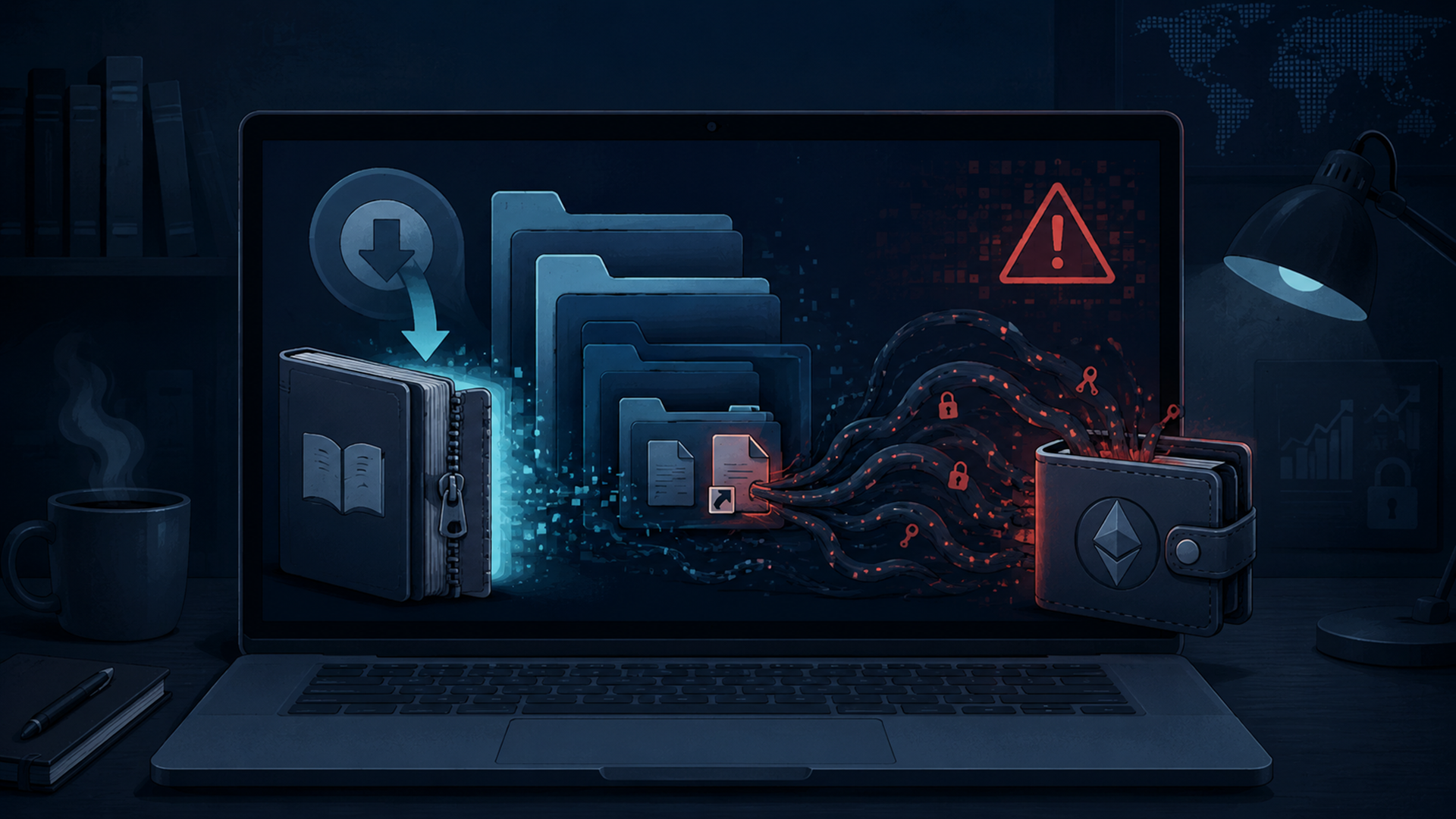
ViperSoftX malware has added eBook torrents to its list of lures, giving attackers a way to hide a Windows infection chain inside downloads that may look like ordinary reading material. The finding, reported in July 2024 by Trellix researchers and covered by The Hacker News, does not make eBooks themselves unsafe. It does show why untrusted torrent archives are dangerous when they contain shortcuts, hidden folders or files that only pretend to be documents.
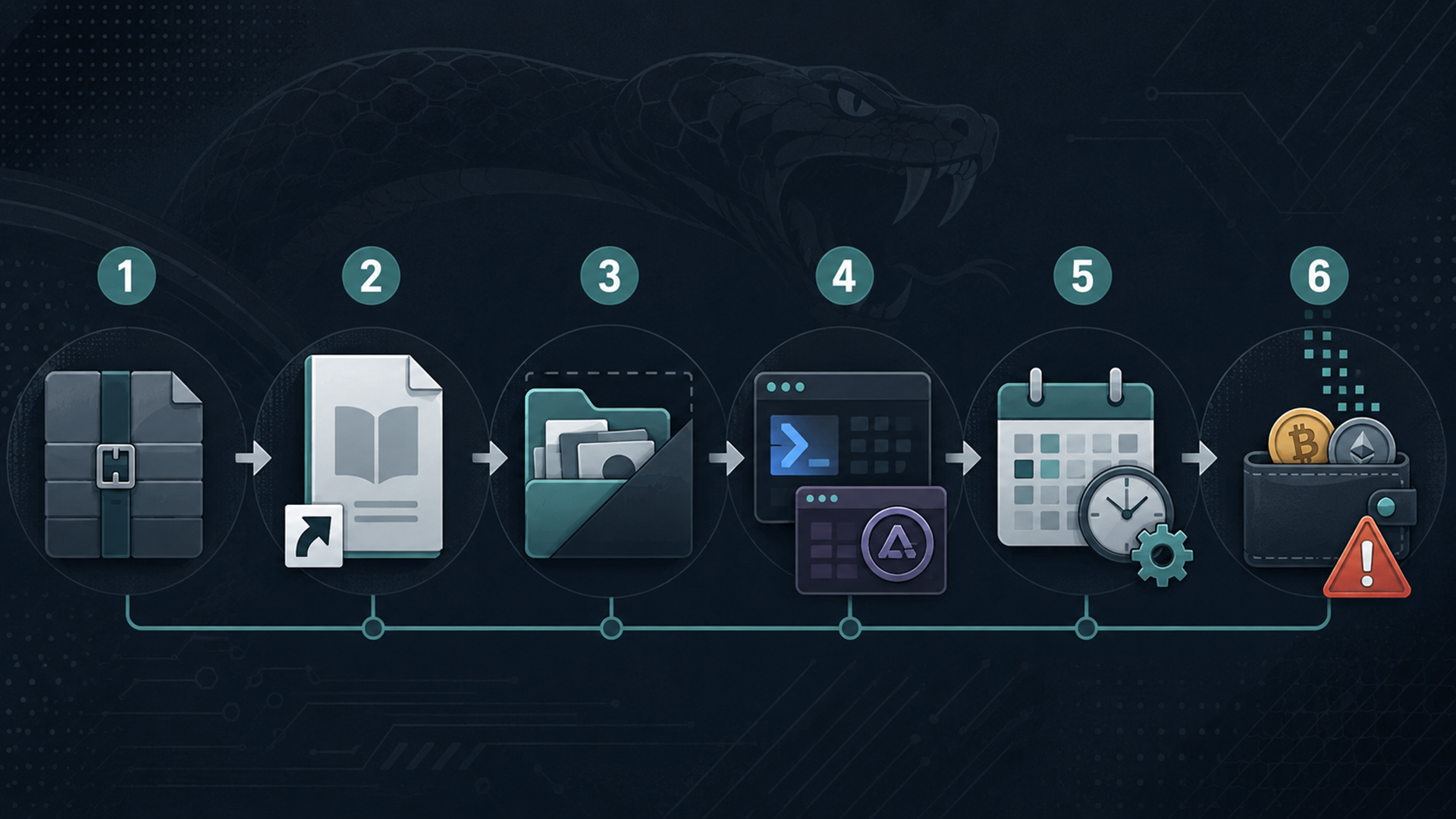
Trellix said the campaign begins when a user downloads what appears to be an eBook from a malicious torrent link. Inside the RAR archive, researchers found a hidden folder, a deceptive Windows shortcut that appears to be a harmless PDF, and additional components disguised as image files. Running the shortcut starts the malware sequence. Trellix
The lure is important because ViperSoftX has historically been associated with cracked software, activators, key generators and torrent-distributed files. The eBook angle gives the same type of threat a quieter wrapper: a file category many users may not inspect as carefully as executable software. The Hacker News
How the ViperSoftX eBook torrent attack works
The attack is not triggered by reading a legitimate eBook from a trusted store or library. The risk comes from opening a malicious archive and then running the disguised shortcut inside it. In Trellix’s analysis, the shortcut launches commands that reveal a hidden folder, sets up persistence with Windows Task Scheduler, copies files into a Windows application-data path and starts an AutoIt-based chain that loads PowerShell through the .NET Common Language Runtime.
That combination matters because it lets the malware hide behind multiple layers. Trellix said the current ViperSoftX variant uses CLR to run PowerShell inside AutoIt, helping it execute malicious functions while avoiding some detections that might flag standalone PowerShell activity. The same report described obfuscation, encrypted PowerShell payloads and attempts to interfere with the Antimalware Scan Interface before running scripts. Trellix
ViperSoftX is not new. Fortinet documented the malware in 2020 as a JavaScript-based threat with persistence, command execution, download-and-execute capability and clipboard monitoring for cryptocurrency addresses. Later research from Avast and Trend Micro showed that ViperSoftX evolved into a broader information-stealing operation, often tied to cracked software and cryptocurrency theft. Fortinet, Avast Threat Labs, Trend Micro
What ViperSoftX tries to steal
Once active, ViperSoftX is primarily a stealer and downloader. Trellix said the malware can gather system information, scan for cryptocurrency wallets through browser extensions, capture clipboard contents, communicate with a command-and-control server, download additional payloads and remove traces of itself. Those capabilities make it especially dangerous for people who keep crypto wallets, password managers, exchange sessions or sensitive account data on the same Windows device they use for downloads.
Earlier Avast research described a related malicious browser-extension payload called VenomSoftX. Avast said it could access pages visited by the victim, tamper with cryptocurrency exchange requests, steal credentials and change cryptocurrency addresses before a user notices. Trend Micro also reported that ViperSoftX checked local wallet directories, browser wallet extensions and password-manager indicators such as KeePass 2 and 1Password. Avast Threat Labs, Trend Micro
AhnLab’s ASEC analysis later described ViperSoftX being used to install additional malware strains, including Quasar RAT and TesseractStealer. That keeps the risk broader than one stolen wallet address: an infected device may become a foothold for remote control, more payloads and additional credential theft. ASEC
What users should watch for
ViperSoftX is designed to be quiet, so users should not wait for an obvious warning screen. A suspicious eBook archive should raise concern if it contains executable shortcuts, unfamiliar scripts, unexpected image-like files, duplicated folders, password-protected archives from unknown uploaders or instructions telling the user to disable security tools.
| Issue | What it can mean | Why it matters | Safer response |
|---|---|---|---|
| eBook torrent archive | The download may contain more than a document, including a hidden folder or shortcut file. | Trellix observed ViperSoftX being distributed as supposed eBooks over torrents. | Do not open untrusted archives. Use legitimate eBook stores, library apps or publisher sources. |
| Shortcut that looks like a PDF | A Windows shortcut can run commands while pretending to be a document. | The reported infection chain began when the user executed the deceptive shortcut. | Show file extensions, avoid running shortcuts from archives and scan suspicious downloads before opening. |
| Crypto wallet or exchange activity | The malware may inspect wallet extensions, local wallet files or clipboard contents. | ViperSoftX and VenomSoftX have been tied to wallet theft, address swapping and exchange-request tampering. | Use a known-clean device to check accounts, rotate passwords and move funds only after verifying destination addresses carefully. |
| New browser extension or changed browser behavior | A malicious extension may have been loaded or a shortcut may have been modified. | Avast described VenomSoftX as a browser-extension payload with broad access to visited pages. | Remove unfamiliar extensions, reset browser shortcuts, clear suspicious profiles and run a reputable malware scan. |
| Slowdowns, disabled tools or repeated errors | General malware symptoms can include performance issues, disabled system tools or unwanted browser changes. | The FTC warns that malware can steal personal data and may go undetected temporarily even when security software is installed. | Stop logging into sensitive accounts, update security software, run scans and change passwords after cleaning the device. |
A VPN or proxy will not make an infected file safe
The original safety advice around this story should be tightened. A VPN or proxy may change how network traffic appears to websites, but it does not neutralize a malicious file after the user runs it. If ViperSoftX is already executing on a Windows system, it can inspect local data, watch the clipboard, interact with browser extensions or contact its own command-and-control infrastructure regardless of whether the user’s normal browsing traffic is routed through a privacy tool.
The more relevant defenses are file and device hygiene: avoid untrusted P2P downloads, use reputable sources, keep security software updated, scan new files automatically, keep Windows updated, pay attention to SmartScreen warnings and avoid running unrecognized applications from the internet. The FTC specifically advises against downloading content through peer-to-peer file-sharing sites, while Microsoft recommends updated anti-malware protection, SmartScreen, Windows updates, User Account Control and Tamper Protection. FTC, Microsoft Support
What to do after opening a suspicious torrent file
If a user opened a suspicious archive or ran a shortcut from a torrent download, the priority is to stop using that device for sensitive activity. Do not log in to banking, email, cloud storage, password managers, crypto exchanges or wallets from the same computer until it has been checked.
Next, update security software and run a full scan. On Windows, users should also review browser extensions, reset any browser shortcuts that may have been modified, remove unknown startup entries where possible and install operating-system updates. The FTC recommends changing passwords and enabling two-factor authentication after suspected malware exposure, but those account changes should be done from a clean device. FTC
Crypto users should be especially cautious. Check wallet addresses character by character before moving funds, and do not trust copy-and-paste alone on a device that may be infected. If a hot wallet, browser wallet or exchange session was used on the infected computer, treat it as potentially exposed and secure assets from a known-clean device before continuing normal use.
FAQ
What is ViperSoftX malware?
ViperSoftX is a Windows malware family known for stealing information, monitoring cryptocurrency wallet activity, changing clipboard contents and downloading additional payloads.
How does ViperSoftX spread through eBook torrents?
In the July 2024 campaign analyzed by Trellix, attackers used supposed eBook torrent archives that contained hidden files and a deceptive shortcut disguised as a harmless document.
Can a VPN stop ViperSoftX?
No. A VPN or proxy does not make a malicious file safe after it runs on a device. Protection depends more on avoiding untrusted downloads, scanning files and keeping the system secure.
Is ViperSoftX only a crypto threat?
No. Crypto theft is a major focus, but researchers have also described system reconnaissance, password-manager checks, browser-extension abuse and additional malware delivery.
What should victims do first?
Stop using the affected device for sensitive logins, update security software, run a full malware scan and change important passwords from a clean device.
Are legitimate eBooks dangerous?
No. The warning is about malicious archives from untrusted torrent sources, especially files that contain shortcuts, scripts or hidden components instead of a normal eBook file.
References
- Trellix — The Mechanics of ViperSoftX: Exploiting AutoIt and CLR for Stealthy PowerShell Execution
- The Hacker News — ViperSoftX Malware Disguises as eBooks on Torrents to Spread Stealthy Attacks
- Avast Threat Labs — ViperSoftX: Hiding in System Logs and Spreading VenomSoftX
- Trend Micro — ViperSoftX Updates Encryption, Steals Data
- Fortinet — ViperSoftX: New JavaScript Threat
- AhnLab ASEC — ViperSoftX Uses Deep Learning-based Tesseract to Exfiltrate Information
- Federal Trade Commission — Malware: How To Protect Against, Detect, and Remove It
- Microsoft Support — Protect my PC from viruses
